Changelog

What shipped in Zen Virtual Piano

Verified product updates across Play, Library, and Convert, listed newest first with stable links to every release.

Latest release

v1.1.18

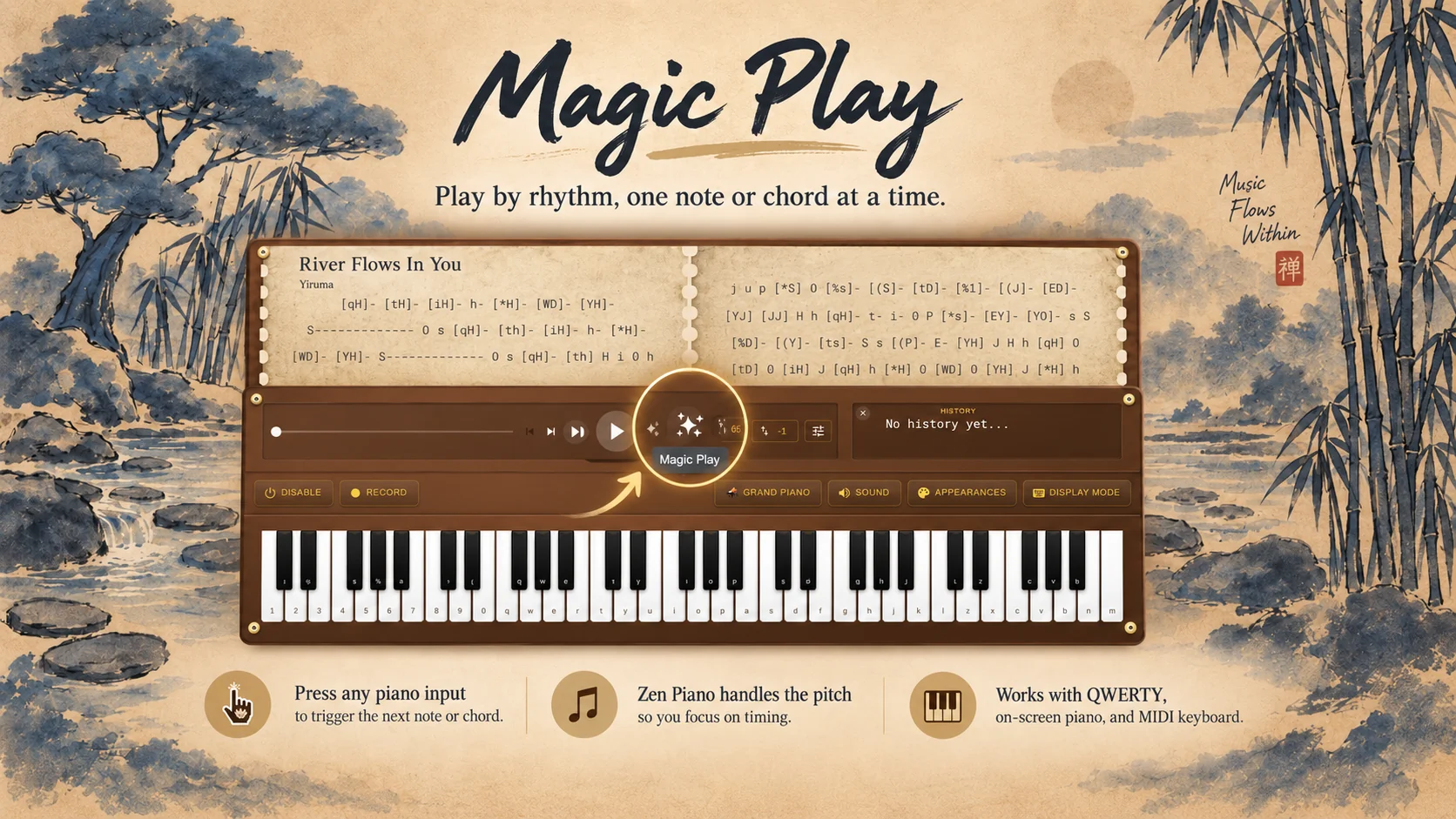
Magic Play lets you play with your timing

Read the release notes

Magic Play lets you play with your timing

Play the next note or chord with each piano input in Play, so Zen Virtual Piano supplies the pitch while you control when to move.

Zen Piano Play with Magic Play active, showing Music Book notation and chord feedback beneath Display Mode settings for Normal, Zen, Nirvana, Two-page layout, and piano or keyboard view.
Use Magic Play to focus on timing while Zen Virtual Piano supplies the next note or chord.

New features

  • Use QWERTY keys, the on-screen piano, or a connected MIDI keyboard to advance the next note or complete chord with your timing.

Improvements

Nothing in this category for this release.

Fixes

  • Left and Right Arrow shortcuts now move one full spread in two-page presentation and one logical page in single-page presentation.

Sheet Cooker makes MIDI adaptation ready for practice

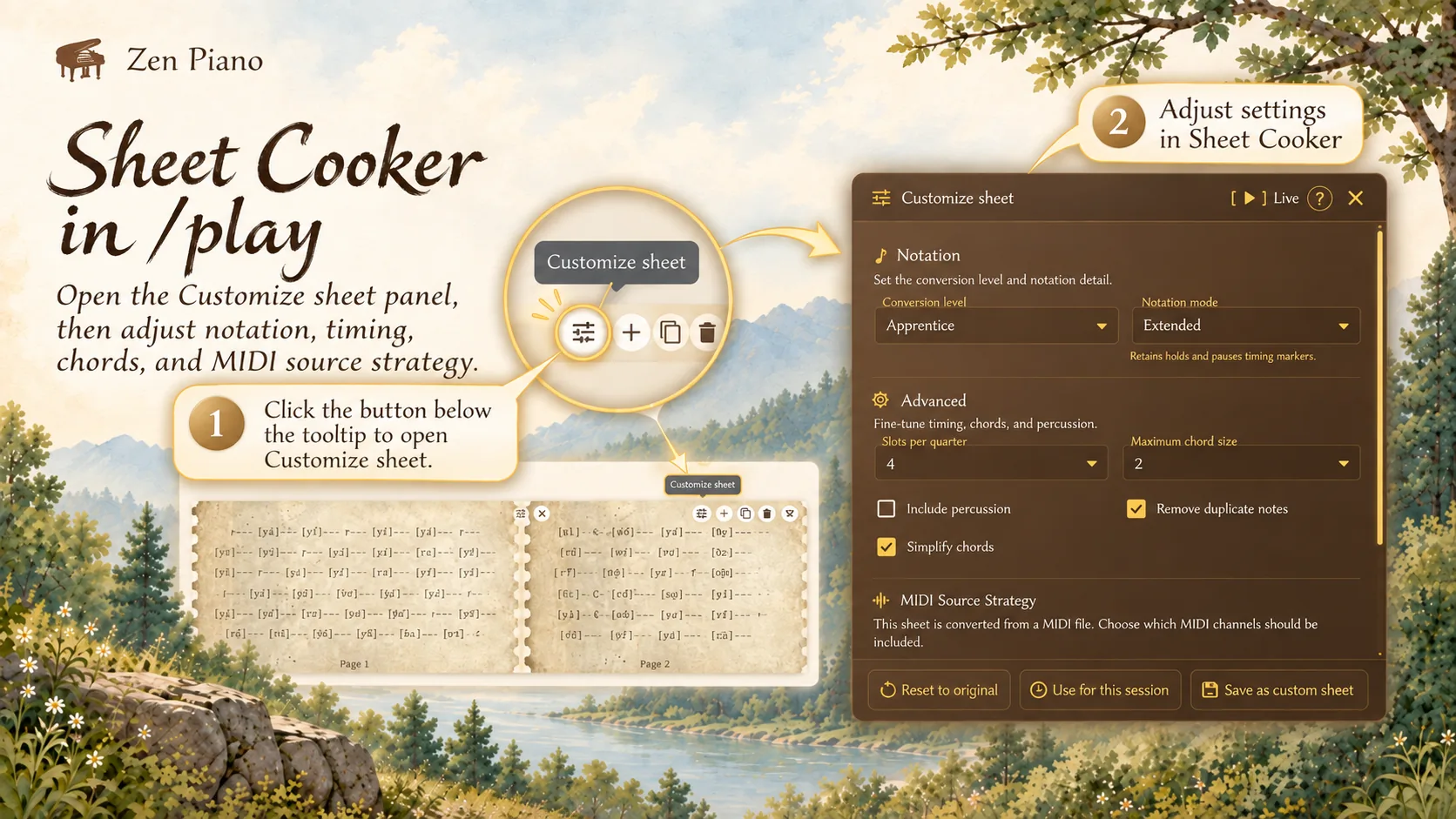
Turn an imported MIDI into a playable custom sheet, adjust its source and conversion choices, and keep the result visible in Play before saving it.

Zen Piano Sheet Cooker with Conversion level, Extended notation, advanced settings, and MIDI source strategy
Review the cooked sheet once the ready-state summary shows it is ready to practice.
Zen Piano Convert settings with a loaded MIDI, Difficulty menu, notation, timing, and chord controls
Choose the MIDI source and conversion settings before generating the sheet.

New features

Improvements

Nothing in this category for this release.

Fixes

Nothing in this category for this release.

Focus mode goes fullscreen for distraction-free practice

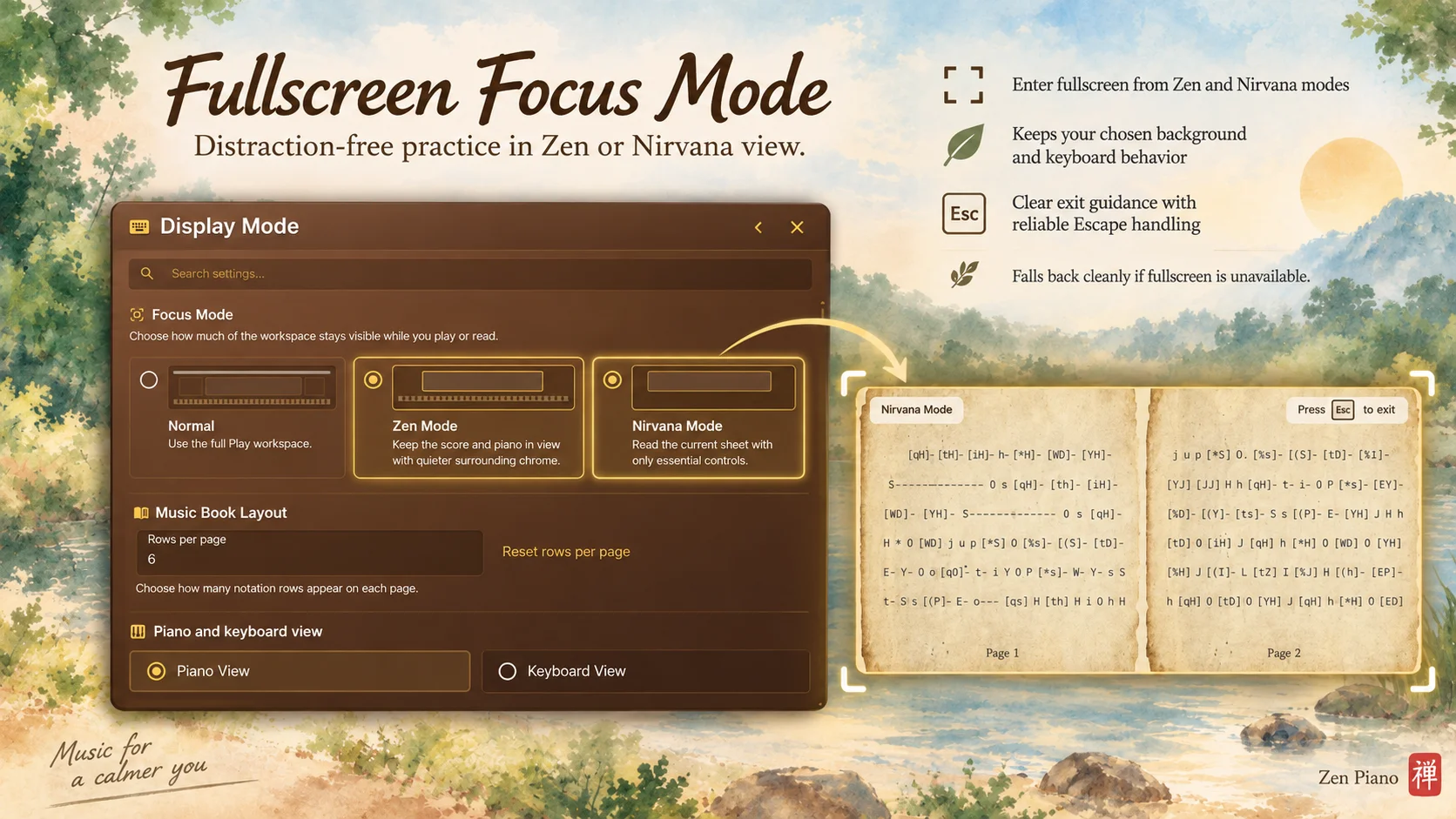
Focus Mode can use the browser’s fullscreen surface while preserving your chosen Zen or Nirvana background, keyboard behavior, and a clear path back to normal practice.

Zen Piano Focus Mode settings showing Normal, Zen, and Nirvana choices, Music Book Layout, and Piano and keyboard view options.
Choose Zen or Nirvana Focus Mode for a distraction-free practice view with clear Escape guidance.

New features

  • Enter and leave browser fullscreen from Zen and Nirvana focus modes.

Improvements

  • Keeps your chosen Zen or Nirvana background while in fullscreen.
  • Clearer shortcut hints and exit guidance for returning to normal practice.

Fixes

  • Reconciles browser fullscreen changes made outside Focus Mode.
  • Fixed Escape handling so leaving fullscreen returns to normal practice.
  • Fallback behavior when the browser blocks or lacks fullscreen support.