Zen Piano reads the MIDI, keeps the sources you choose, maps notes into C2–C7, places events on a timing grid, builds bounded chords, and writes Standard or Extended notation. Each setting changes one step in that sequence.
This is a settings reference, not an upload tutorial. Use it when the file converts but the result is too dense, too coarse, or based on the wrong part. Settings can reshape usable MIDI. They cannot repair a damaged file or promise a score-perfect transcription.
What the converter changes
The converter first checks that the file can be read, then lists every source that contains notes. A source row can show its name or fallback label, pitched or percussion role, channel, program, and note count. Use that list to drop accompaniment, doubled parts, or drums before you touch timing.
After that filter, Zen Piano snaps near-grid events, finds an octave placement that keeps as many notes as possible in C2–C7, and folds the rest by octaves. It then quantizes starts and durations, builds each slot and chord, writes both notation forms, and scores the selected result.
Choose the source set first
| Surface | Choice | What it keeps |
|---|---|---|
| Convert | Recommended track | The one recommended pitched source; shown only when exactly one recommendation exists |
| Convert | All non-percussion | Every pitched source and no channel-10 percussion |
| Convert | Manual selection | Only the source rows you select |
| Sheet Cooker | Recommended | One recommended pitched source, or all non-percussion sources when there is not exactly one |
| Sheet Cooker | All | All non-percussion sources |
| Sheet Cooker | Manual | Only the source rows you select |
Load a MIDI that has a melody, pads, and drums. If the melody is buried, switch from All non-percussion to Manual and keep only the melody row. Convert again and compare the same phrase. The notation should thin because the extra parts never entered the grid.
Convert hides Recommended track when it cannot pick exactly one pitched recommendation, and falls back to All non-percussion. Sheet Cooker keeps Recommended visible, but resolves it the same way in that case. An empty Manual selection cannot convert; select at least one source first.
Difficulty is a bundle, not a quality rank
Convert starts at Apprentice. Sheet Cooker inherits the supported default from the Official version you selected. Choosing a level resets five advanced values together, so compare the result before you edit individual controls.

| Difficulty | Slots per quarter | Maximum chord size | De-duplicate | Simplify chords | Include percussion |
|---|---|---|---|---|---|
| Novice | 2 | 1 | Yes | Yes | No |
| Apprentice | 4 | 2 | Yes | Yes | No |
| Adept | 4 | 3 | Yes | Yes | No |
| Master | 8 | 4 | Yes | No | No |
| Guru | 8 | 6 | No | No | No |
Lower levels use a coarser grid and smaller chords, which is easier to scan and drops detail. Higher levels keep more timing and simultaneous notes. A clean solo source can stay readable at Master. A dense arrangement may need Apprentice or Novice. That is a readability trade, not a skill badge.
Standard and Extended keep the same pitches
| Notation mode | What it writes | Choose it when |
|---|---|---|
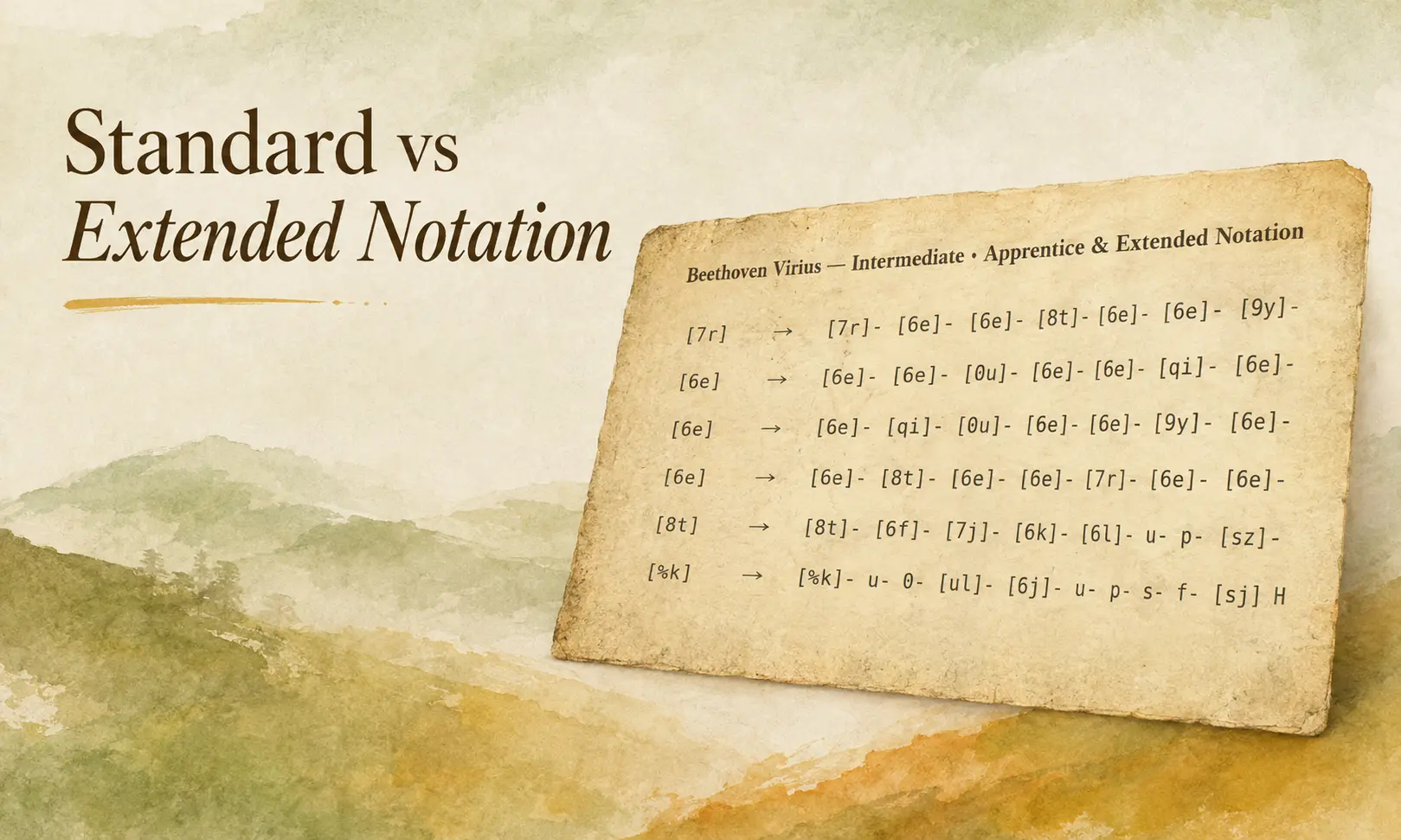
| Standard | Compact note and bracketed-chord onsets | You want the shortest notation and can supply the rhythm yourself |
| Extended | The same pitches plus sustain and rest timing markers | You need the converted timing to stay visible while you read |
Extended is the initial mode on both current settings surfaces. Changing Difficulty does not switch it. Notation mode stays put while the preset resets its advanced values. Switching modes changes how the same notes are written, not which sources, pitches, or grid you used.
Tune one advanced setting at a time
| Setting | Supported control | Observable effect |
|---|---|---|
| Slots per quarter | Whole values from 1 to 16 | Higher values use a finer timing grid; lower values merge timing into broader steps |
| Maximum chord size | Whole values from 1 to 10 | Limits how many notes may appear at one onset |
| De-duplicate notes | On or off | Collapses exact repeated note events at the same time |
| Simplify chords | On or off | Thins complex slots within the chord-size limit to keep a clearer outline |
| Include percussion | On or off | Keeps channel-10 hits only when the selected source set still contains percussion |
If the rhythm looks blocky, raise Slots per quarter by one step and compare the same passage. If tiny timing differences clutter the line, lower it. When chords are too wide, lower Maximum chord size or step Difficulty down. Use De-duplicate for exact stacked repeats. Use Simplify chords when the size limit alone still leaves an awkward outline.
Read the result signals by surface
Convert can show tempo, an available time signature, playable-range and octave-fold information, and conditional quality details such as in-range percentage, hard-chord rate, and peak chord size. Many folds point to register pressure. A high hard-chord rate points to density, not a file-reading failure.
Sheet Cooker keeps the ready-state summary narrower: source choice, Conversion level, and notation mode, without Convert’s quality panel. Judge the updated preview before you save the custom sheet. Retry remains available when conversion cannot produce that preview.

Match the symptom to the next change
| Symptom | Likely cause | Next check |
|---|---|---|
| The file cannot be read | Corrupted or unsupported MIDI data | Try a valid copy; settings cannot repair damaged event data |
| No notes remain | Filtering removed every usable note, or the file is percussion-only | Inspect the source rows and choose a source set that contains pitched notes |
| Manual cannot convert | No Manual source is selected | Select at least one source row |
| Chords are too dense | Several parts land in the same timeline slots | Lower Maximum chord size, enable Simplify chords, or choose fewer sources |
| Rhythm is too coarse or too busy | The timing grid is too broad or too fine for this arrangement | Adjust Slots per quarter one step and compare the same passage |
| Many notes were octave-folded | The selected material extends beyond C2–C7 after automatic octave placement | Choose a narrower source set, or accept that the register will change |
A successful conversion can still carry quality warnings. Dense chords, coarse timing, and extensive folding do not mean the converter failed; they tell you which trade-off to inspect. A corrupted file, a percussion-only selection with percussion excluded, or an empty Manual selection must be corrected before useful notation can appear.
Make the smallest useful adjustment
You can now map an unreadable passage to one control: source set, Difficulty bundle, timing grid, chord limit, or notation mode. Start from the surface default, inspect one difficult passage, and change only the setting tied to what you see.
Open Convert when you want the full diagnostics. Use Sheet Cooker when you are adapting an Official sheet inside Play. Once that passage is readable at the detail you need, stop tuning and practice the result.
If you still need the upload-to-sheet path rather than these parameters, follow the full MIDI conversion workflow.